An employer may ask you to sign a consent form while you apply or during onboarding. You sign right on the page.

Sign a form

1

Read the form

Read the text on the page. If there’s a document, click View consent document to open it.
2

Check the box

Check I have read and agree to the terms above.
3

Type your full name

Under Type your full name to sign, type your full name.
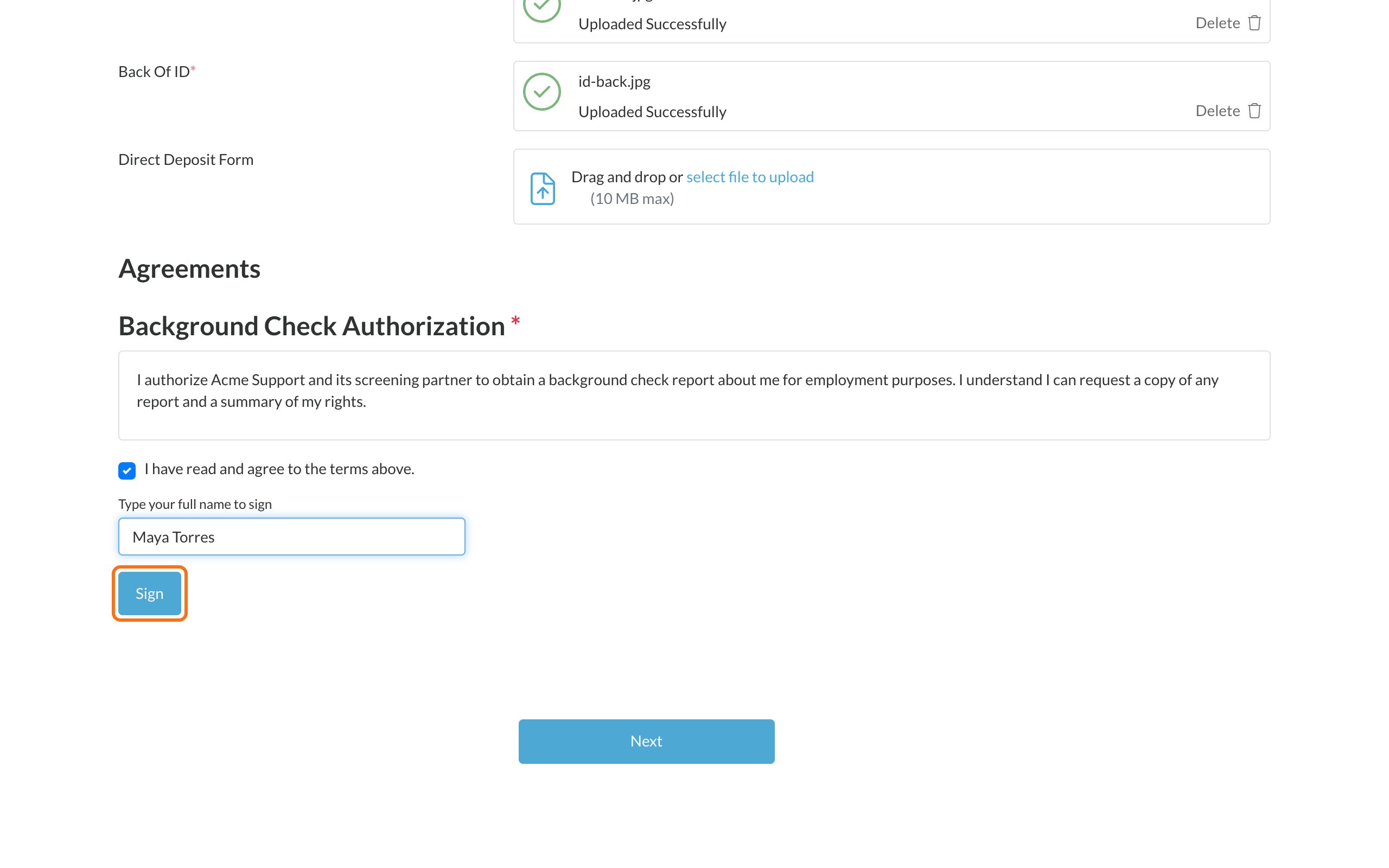
A consent form with the agree box checked, a full name typed in, and the Sign button highlighted
4

Click Sign

You’ll see Signed by your name and the date.
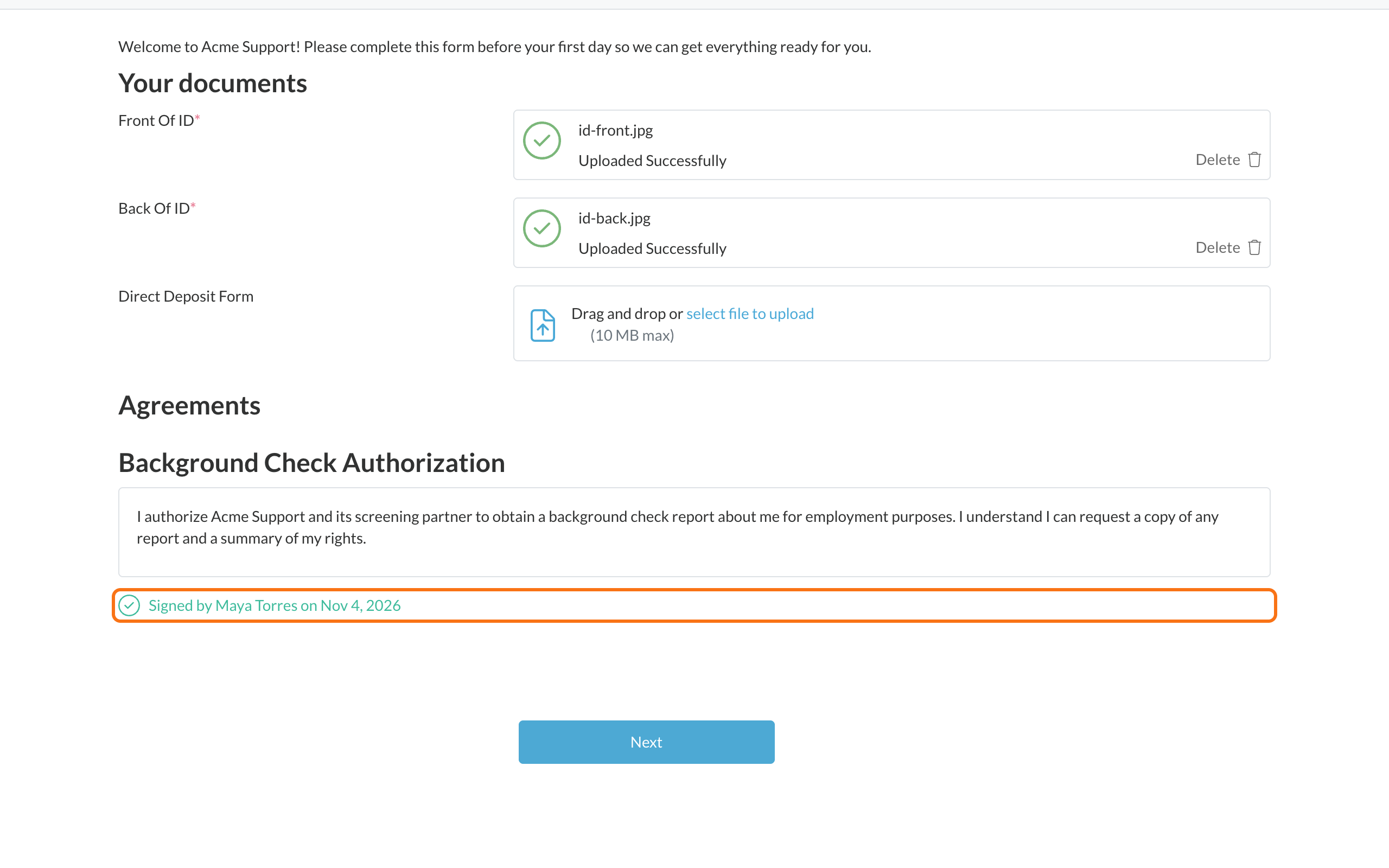
The consent form after signing, showing Signed by Maya Torres and the date
Forms marked with a red * are required. You need to sign them before you can continue. You can view and download every form you’ve signed from My Consents. See Find forms you’ve signed.

Common problems

Find forms you've signed

View and download signed forms.

Complete your onboarding forms

New-hire forms and documents.