

Pick a time
1
Open the invite email
By default, the subject is Interview Invite - Schedule your interview followed by the employer’s name. Click Click here to schedule a time that works best for you.
2
Choose a day and time
The page says Schedule your interview with and the employer’s name. Pick a day, then a time.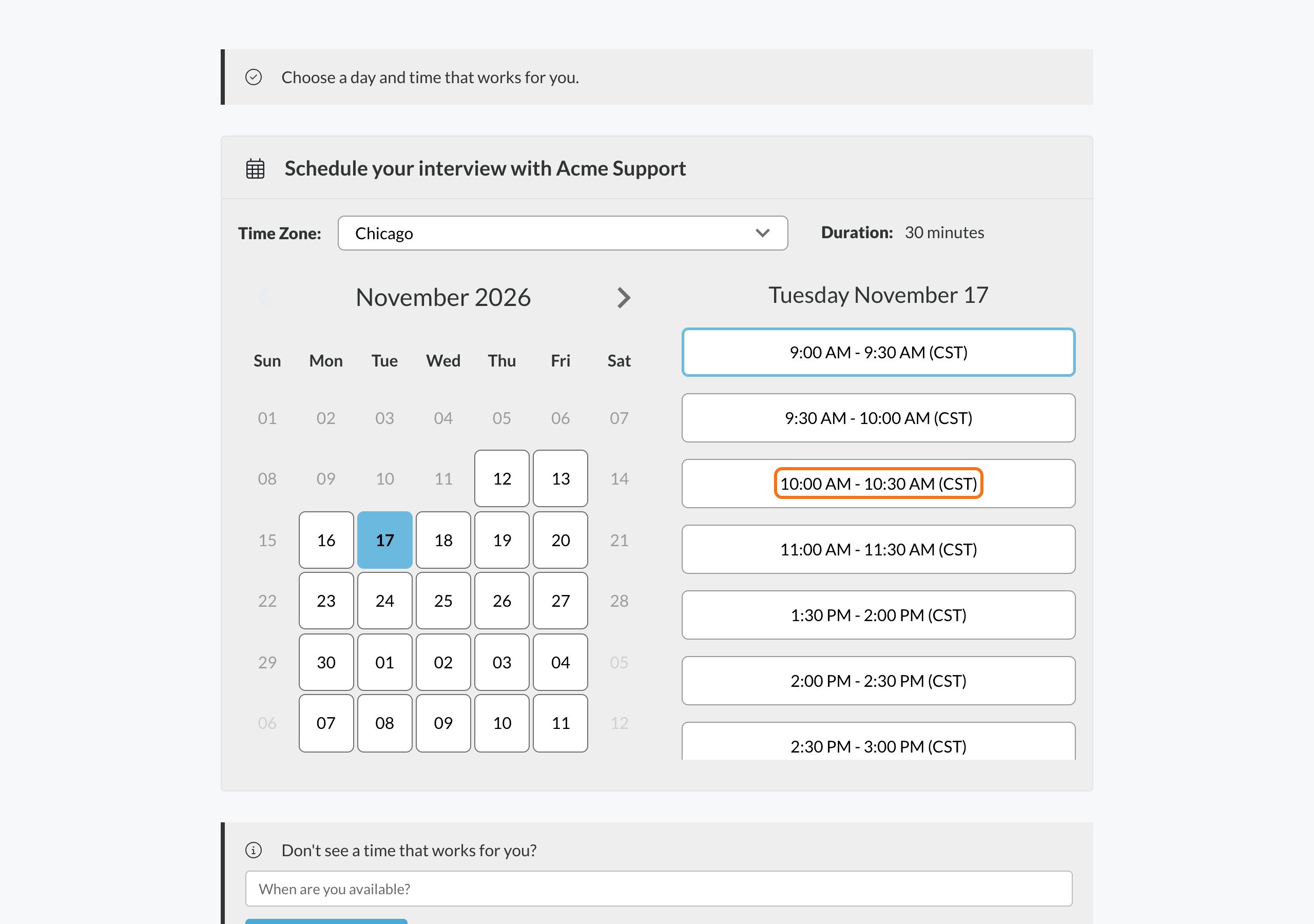
3
Confirm
Click Confirm. You’ll see You’re scheduled. A confirmation is on its way to your email. with the date, time and length of your interview, and how to join.
After you book
- You get a confirmation email. The subject starts with Your interview has been scheduled. It has the date and time, who you’re meeting, and how to join or where to go. See Join your interview.
- You get a calendar invitation from the interviewer’s calendar.
- You get reminder emails before the interview. By default they come 24 hours and 1 hour before.
Common problems
The page says the link is no longer active
The page says the link is no longer active
This scheduling link is no longer active means the interview isn’t taking new bookings right now. You don’t need to do anything. If you already booked, your interview still stands. Check your confirmation email. If scheduling opens again, you’ll get a new invite by email. If you have questions, contact the employer.
The page says the link has expired
The page says the link has expired
This scheduling link has expired means the time to book has passed. If you’d still like to schedule, contact your recruiter.
The time I picked is no longer available
The time I picked is no longer available
If you see That time was just taken. Please choose another time., someone booked that time just before you. Pick a different time.
There are no times to choose from
There are no times to choose from
See No times available?.
The page won't open
The page won't open
If you see We couldn’t open this scheduling link., make sure you used the full link from your email. Refresh the page, or try a different browser or device. If it keeps happening, contact your recruiter.
I see We couldn't schedule your interview
I see We couldn't schedule your interview
Refresh the page and pick your time again. If it keeps happening, contact your recruiter.
I can't find the invite email
I can't find the invite email
Check your spam, junk and promotions folders. The invite goes to the email on your application. If you still can’t find it, contact the employer.
Related
Join your interview
Find your join link or address.
Reschedule or cancel
Need a different time?